Showing posts with label Tutorial. Show all posts

Monday, June 9, 2014

Rise of Nations - Gold Edition mod music change Tutorial


1.This little mod is in fact Tutorial to change Music in game to play own music you want
First let me tell you what programs you need
you need:
1.AnyvideoConverter program its best to convert Audio from video files  to MP3
2.Audacity program after you converter  video or audio to mp3 using AnyvideoConverter you will need to put it in Audacity
3.Notepad ++  for editing html files easy

2.First convert audio using audacity to wav 16 bit
Then put that audio in  F:\Program Files\Microsoft Games\Rise of Nations\Thrones and Patriots\sounds\tracks
Then
you need to change  F:\Program Files\Microsoft Games\Rise of Nations\Thrones and Patriots\data/ sound file

3. Edit sound.html using notepad ++

as you can see in mood ECONOMIC there are sounds of game wav format
delete all that sound and put  yours audio like i  did in next pictures

4.
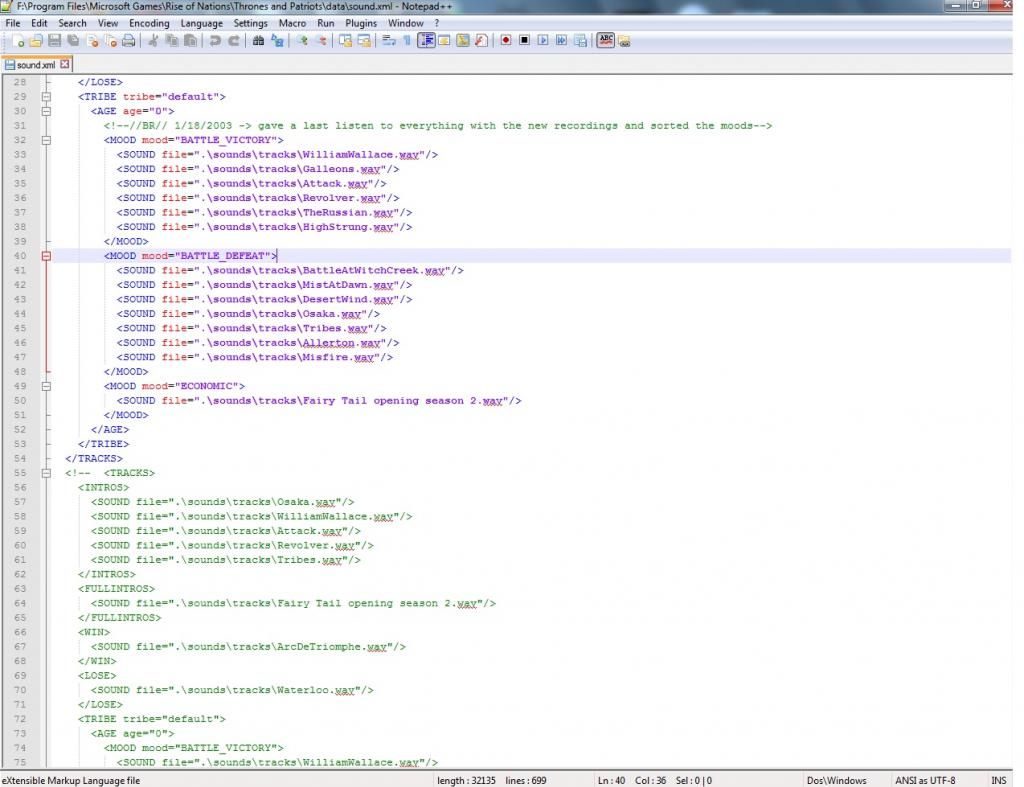
A put in economic mood  fairy tail opening.wav file

<MOOD mood="ECONOMIC">
          <SOUND file=".\sounds\tracks\Fairy Tail opening season 2.wav"/>

example <SOUND file=".\sounds\tracks\yours sound name must be same as converted audio.wav
in game sound will go over  and over from start because there is only one song i put but if put
like this

<MOOD mood="ECONOMIC">
          <SOUND file=".\sounds\tracks\Fairy Tail opening season 2.wav"/>
         <SOUND file=".\sounds\tracks\Fairy Tail opening season 1.wav"/>
there will season second played then season 1 sound name

Thats all folks
please try will it work
any comments post below on blog


Tuesday, March 12, 2013

Reflexorator v1.2(For reflexive games here on this blog to patch it to make full game without time limit

This little program is to patch games from reflexive arcade only 926 games for  now a know this patcher works.

works  fine with system win 7

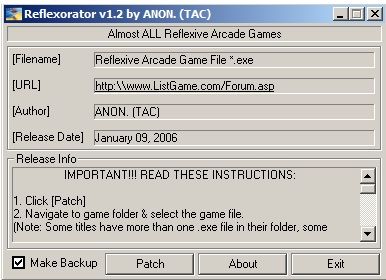
how to use  patch to make reflexive games full working without 1 h time limit a will explain in 4 screen shoots

a made on my pc .

1.


as you can see a dint created this buta found on net and this is only that works  for now everything else not work.

how to use it  :

simple  click on patch

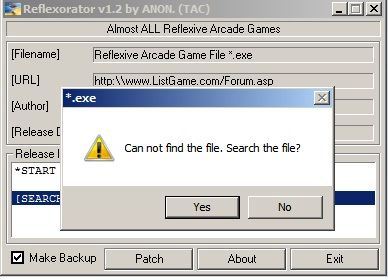
2.
you will get this message then proceed to part 3

3.

you must  find exe. file in program files of game you downloaded

example: brick of camelot.exe

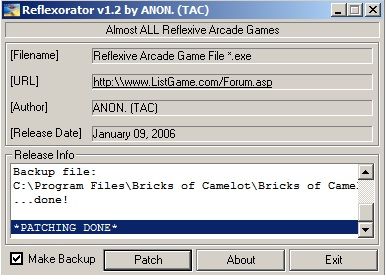
click on it  and you will get message patching is done  you will see in part 4

4.

you will get this message after you clicked on brick of camelot.exe file that patching is done.

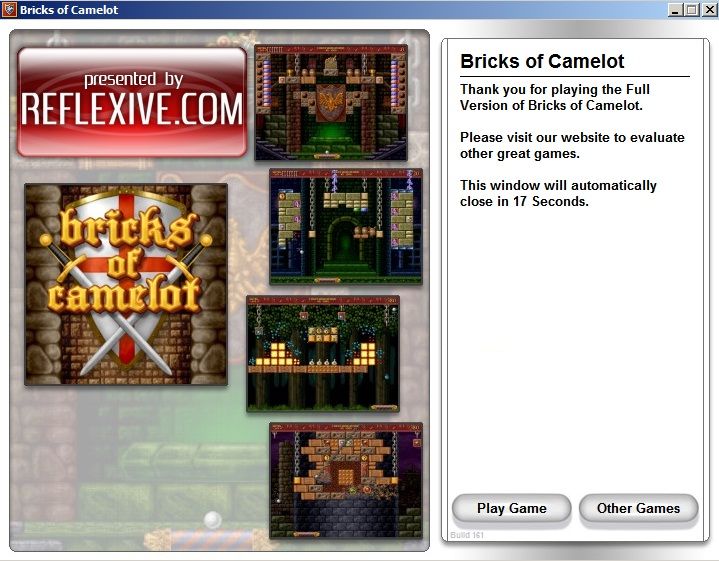
after you exit game you will see that you have now full game not trial of 1 h anymore

like this:

happy playing guys and girls below are download link of this great tool :

Link to download program : http://adf.ly/Kj693
size of program : 33.48 KB

Thursday, March 7, 2013

Tutorial: How to run iso file with deamon tools

Well guys and girls maybe  you notice that a dint uploded any iso games so a will soon start uploading big iso files however a will split it  in parts so you need to download all files and put them  in one folder and click on part 1 to extract game iso from parts then you must mount that iso to start instalation of game  .

first a will show you how to mount using Deamon toools program  in 3 picture steps:

Picture 1 step :

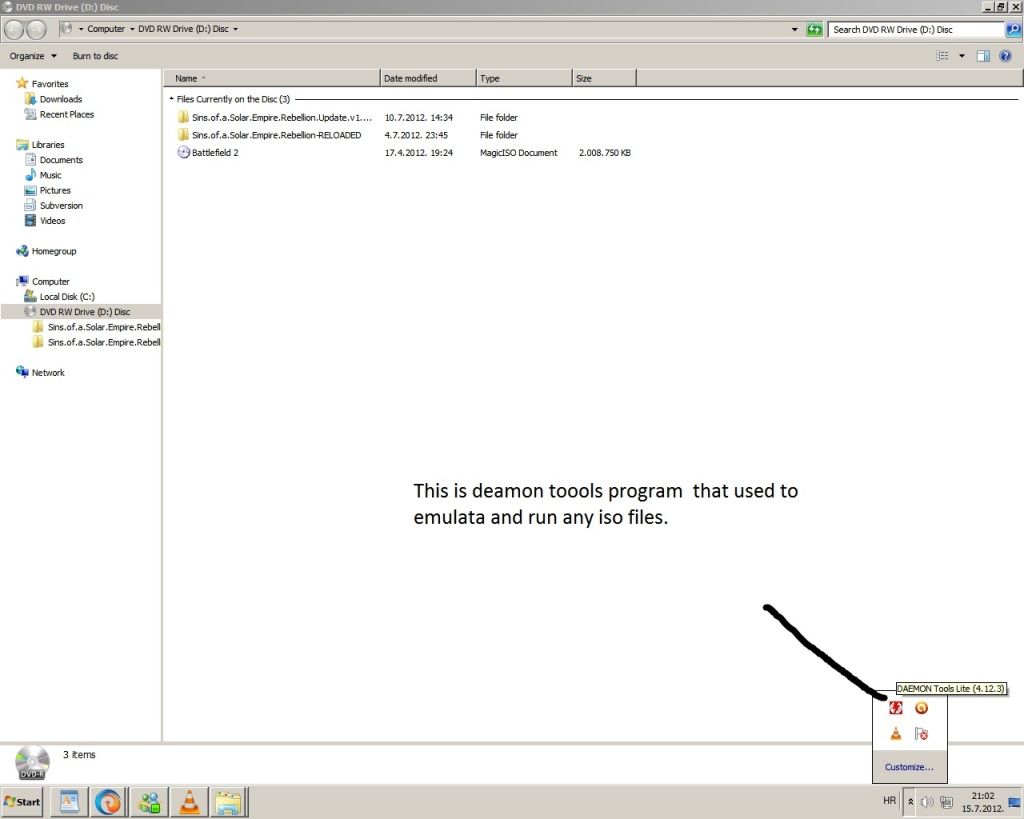
first you need to click in start and find deamon toools click on it and it will show in tray deamon toools icon

as you can see in picture.

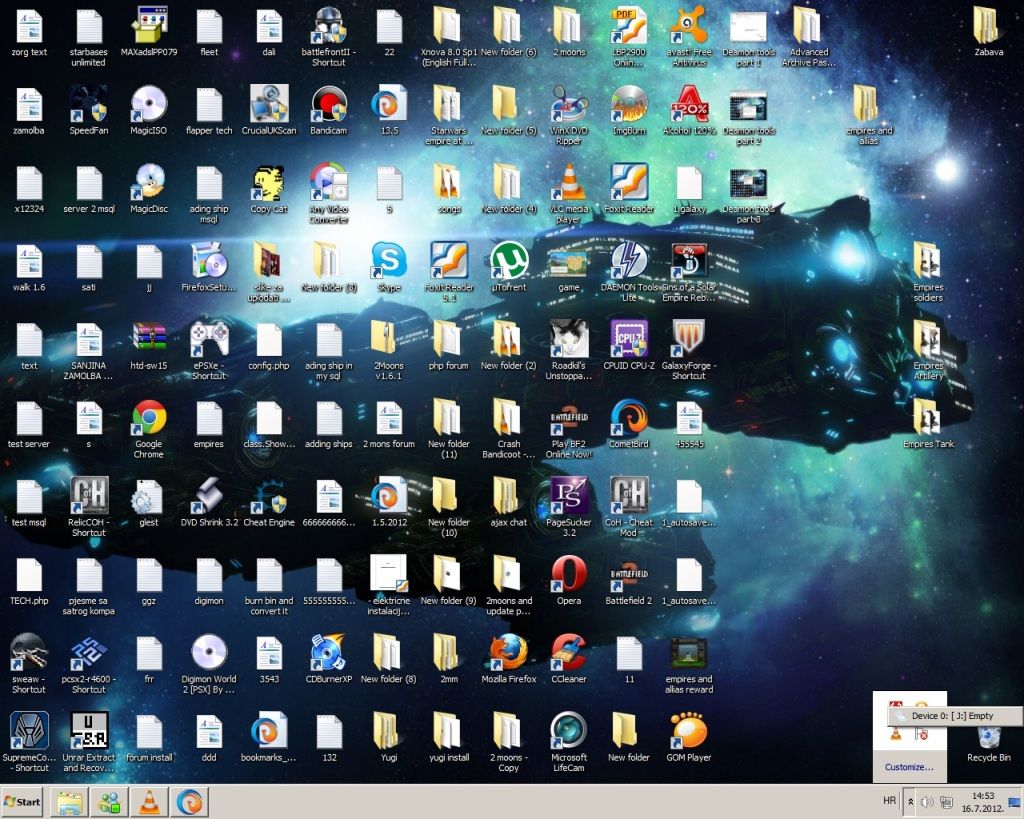
Picture 2 step :

 As you can see when you click on deamon toools icon on tray it will show device  0 by me by you will be different latter   its virtual drive  so dont wonder if you have only one drive but in my computer you will see other thats not bug or sommething  just remember in what latter you did mounted game.

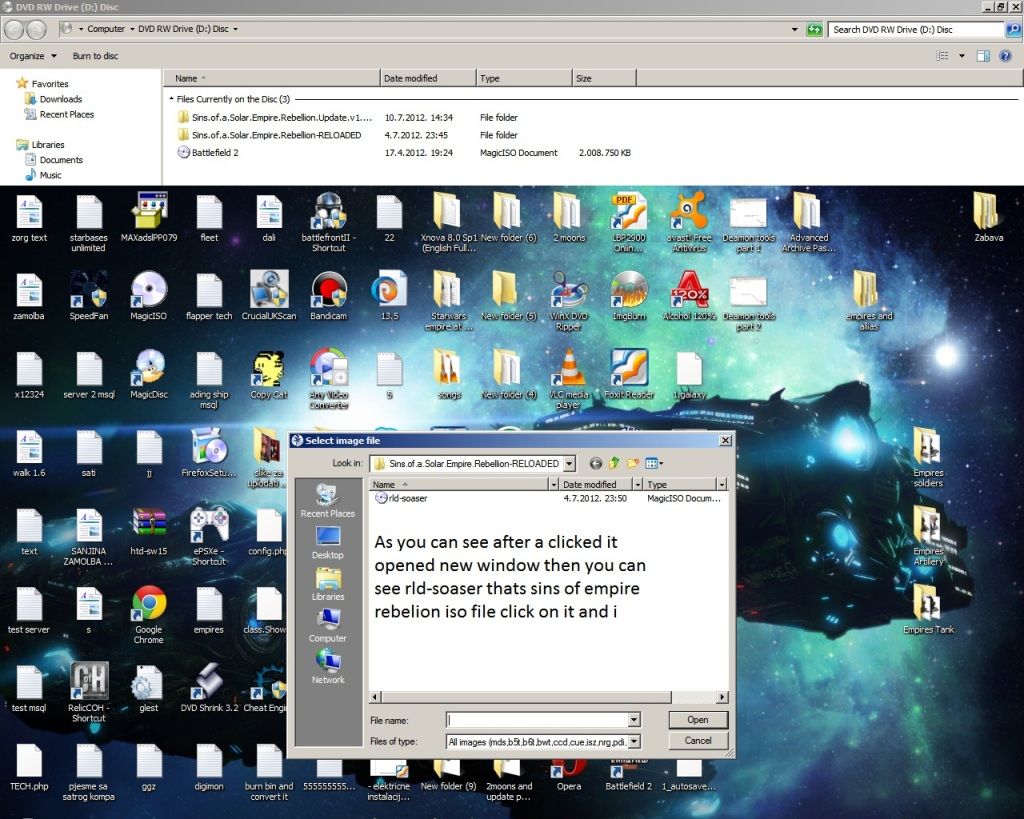
 Picture 3 step :

  as you can see after  a clicked it opened it new window  then you can see rld-soader thats sins of solar empire rebelion iso file click on it and  in till open new window  you will see in next step.

 Picture 4 step :

 you see its mouned and it open new small window  autoplay when a click on run setup it will start instalation

of game .

Thats all folks for small my tutorial

remember a will soon start uploading big games  so you need to download all parts to extract and to get full working iso .

also a will upload in future Playstation ,Playstation 2 iso games theses games you can mount and play with emulator or if you have moded PS 1 or PS2  you can play it on  them .

also there will be adult blog that a will make in future so if you are not over 18+ you will not able to download files or anything

one last thing if you remmeber any old games you played before conatct me maybe a will able to find it and post it here